

Submitting the application fee is the most crucial step after applying online for Military Engineer Services MES jobs. To make the process smoother, MES has introduced an EasyPaisa Online Payment option this year, allowing candidates to submit their fees instantly using their mobile phones.
Follow this simple, step-by-step guide to complete your payment within seconds.
Step 1: Visit the MES Job Portal
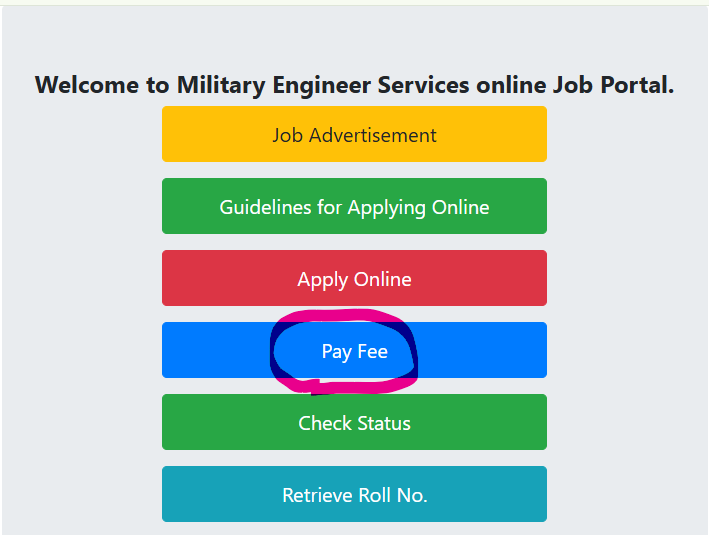
First, open your browser and go to the official Military Engineer Services portal at jobs.mes.gov.pk. On the main landing page, locate the bright blue button labeled “Pay Fee“ and click on it.
Step 2: Choose Your Payment Method
Once you click on “Pay Fee”, you will be redirected to the payment options screen presenting two choices:
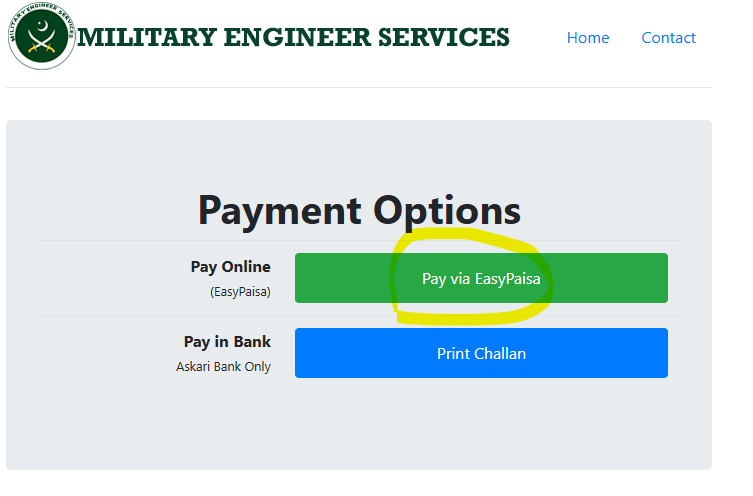
- Pay Online (EasyPaisa)
- Pay in Bank (Askari Bank Only)
Since you are paying through your mobile wallet, click on the green “Pay via EasyPaisa” button.
Step 3: Enter Your Verification Details
On the next screen, you will need to fill out a form with your registration credentials. Carefully enter the following details:
- Roll Number: Enter the specific roll number assigned to you after completing the initial application phase.
- CNIC: Type your 13-digit National Identity Card number without any dashes.
- EasyPaisa Mobile Number: Input the exact mobile number on which your EasyPaisa account is registered.
- Verification Code: Look at the captcha code displayed in the blue box and type it exactly into the text field.
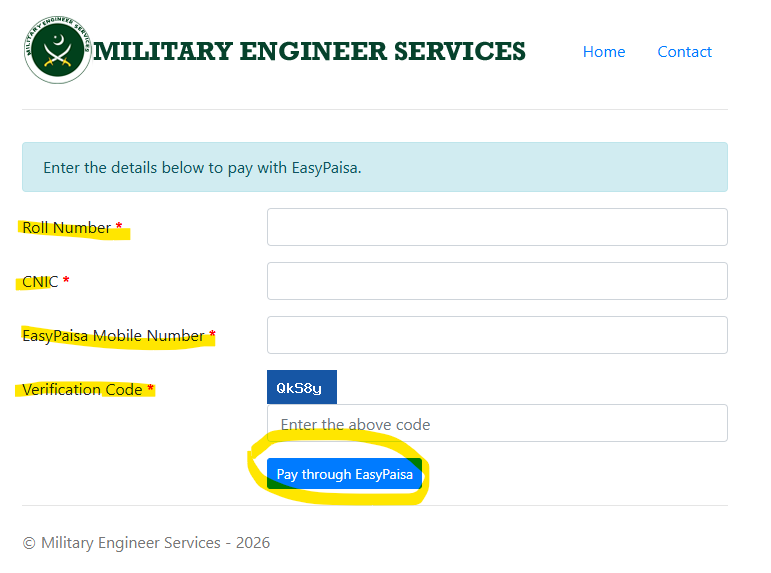
After cross-checking your information, click the blue “Pay through EasyPaisa” button at the bottom.
Step 4: Wait for the System to Process
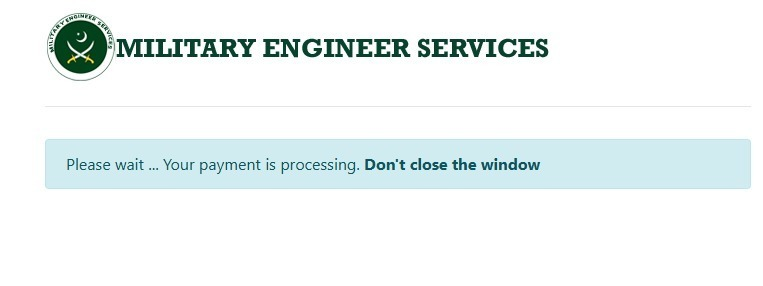
A blue processing bar will appear stating, “Please wait… Your payment is processing. Don’t close the window”. It is very important that you do not close your browser tab or hit the back button during this time.
Step 5: Authorize the Payment on Your Phone
Keep your mobile phone unlocked. A direct secure prompt (USSD flash message) will instantly pop up on the mobile number you provided. It will state that MES-Rect has requested a payment.
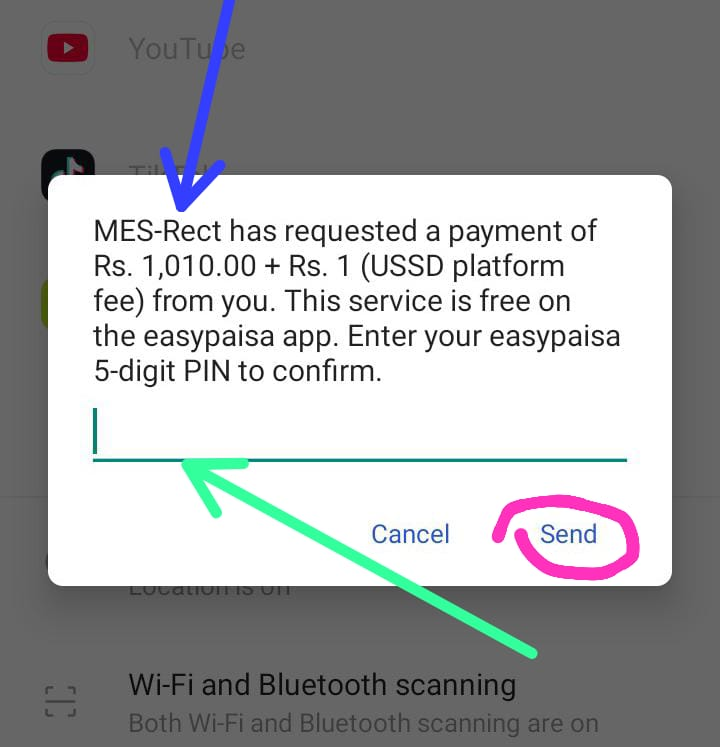
- Input your 5-digit EasyPaisa PIN into the field.
- Tap the “Send” or “Confirm” button to authorize the transaction.
Step 6: Payment Success Confirmation
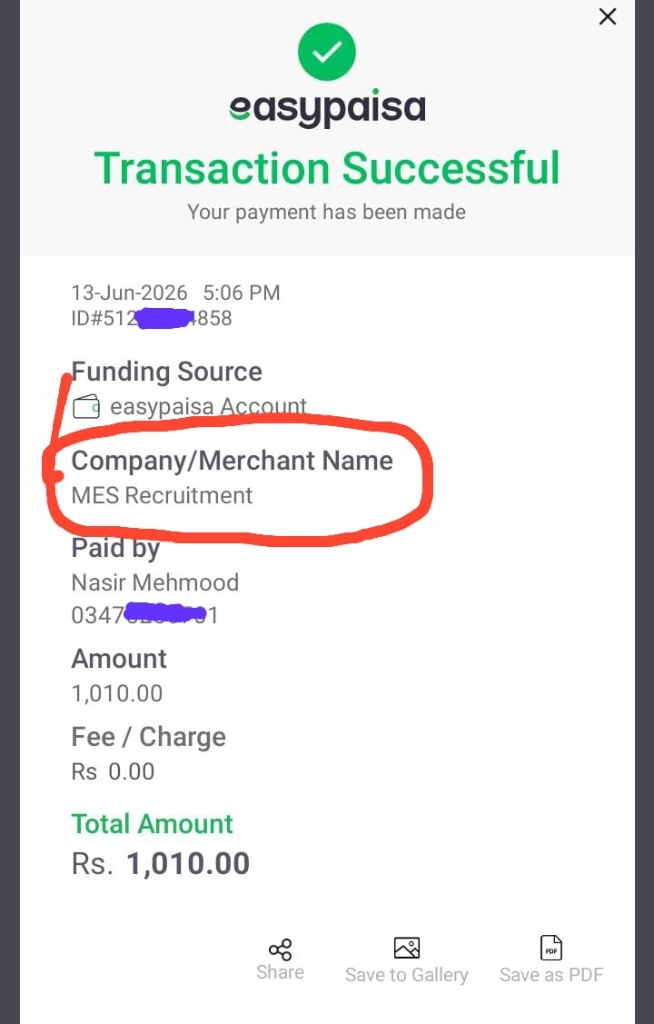
As soon as you enter your PIN, a confirmation dialogue box will appear on your phone screen indicating that your transaction has been successful on MES-Rect. You will also receive a standard digital receipt within your EasyPaisa app confirming the deduction.
Step 7: Verify Your Application Status
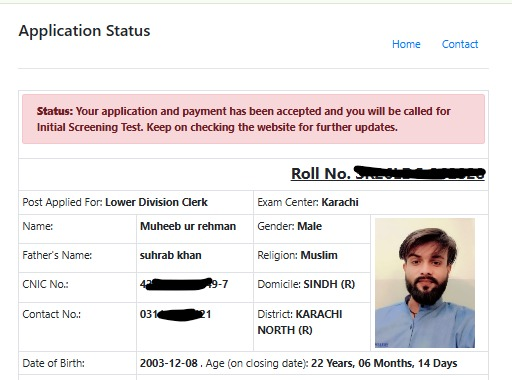
To make sure everything went through perfectly, navigate back to the main MES job portal homepage and click on the green “Check Status” button. After entering your credentials, your status section will update to show:
“Status: Your application and payment has been accepted and you will be called for Initial Screening Test.”
Step 8: Receive SMS Confirmation
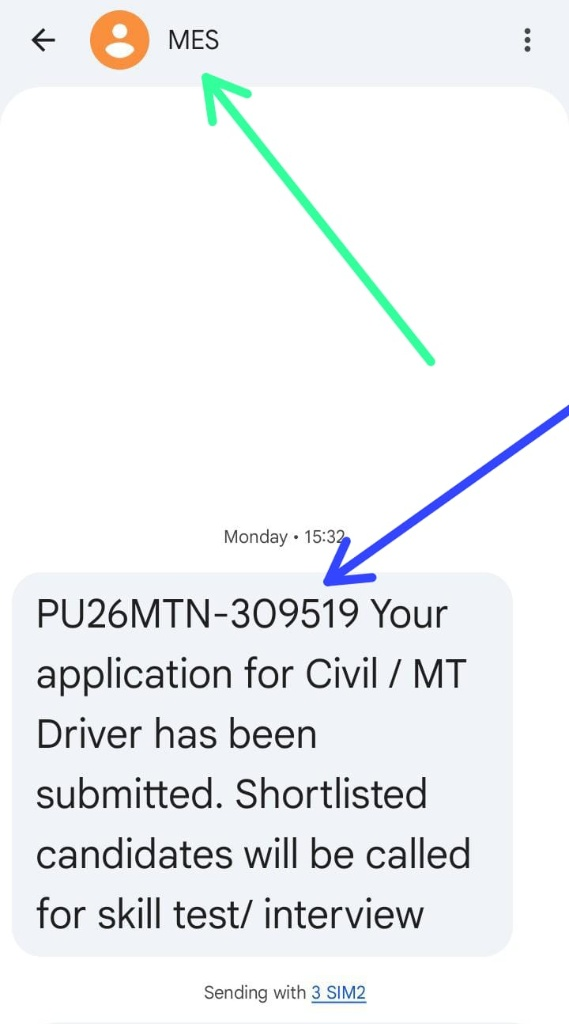
Once the payment is fully processed by the system, you will also receive an official text message on your registered mobile number from “MES”. The SMS will contain your specific tracking/roll number and a confirmation text stating:
“Your application has been submitted. Shortlisted candidates will be called for skill test/ interview”
Important Dates to Remember:
- Last Date for Online Application Submission: 21 June 2026
- Last Date for Fee Payment: 26 June 2026
Make sure to submit your dues well before the final deadline to avoid any last-minute server congestion or network delays.
Also Read About: Mandatory Document Checklist for the Final Interview For MES Job 2026
Conclusion
Paying your MES application fee via EasyPaisa is by far the quickest and most hassle-free method available for candidates this year. By following these simple steps, you can secure your seat for the initial screening test right from your smartphone without standing in long bank queues. Just ensure you complete your payment before the 26 June 2026 deadline and verify your final application status online to be 100% sure.
If you faced any issues during the payment process or haven’t received your confirmation SMS yet, feel free to leave a comment below, and we’ll help you out!


